For 3DCG beginners, we provide online tutorial videos for Blender, a full-fledged open-source 3DCG application available free of charge: Learning 3DCG from Scratch.
The large mental gap between instructors and beginners
It is not uncommon for beginners who become interested in 3DCG and start learning to drop out shortly after they begin watching related lecture videos. We believe the cause is a large mental gap between the people who produce the lectures and their viewers.
Course instructors are generally 3DCG professionals. As a result, they mastered the concepts unique to 3DCG and the basic philosophy behind the software long ago, and because these have become ingrained at an unconscious level, it is difficult for them to focus on the points where beginners tend to stumble. We feel that viewers are often left behind because lectures proceed without explaining deeply ingrained methods and implicit assumptions.
For example, lectures that assume viewers already know the following (or will look it up as needed) become a major psychological barrier for beginners who have no idea where to start, and the stress leads them to drop out.
- That each item in 3D space is called an object
- That lights, cameras and models are also objects
- That what are commonly called polygons are referred to as meshes
- That an object contains a mesh, and working with the object does not mean editing the mesh directly
- That the shortcut the instructor pressed without thinking to add an object is Ctrl + Shift + A
A stress-free course with a beginner as the student
The only people who truly understand how beginners feel are beginners themselves. With Nishihara of CG World, who had never made a 3D model before, as the student, we continuously produce and publish lecture videos in which our CTO Sanekata explains in detail how to create 3D models with Blender. Whenever the student stumbles, however small the point, it is explained on the spot, and every operation is recorded.
Learning from the very basics of 3DCG
Episode 1 explains everything thoroughly and carefully, starting with the 3DCG production workflow.
Full-fledged modeling covered as well
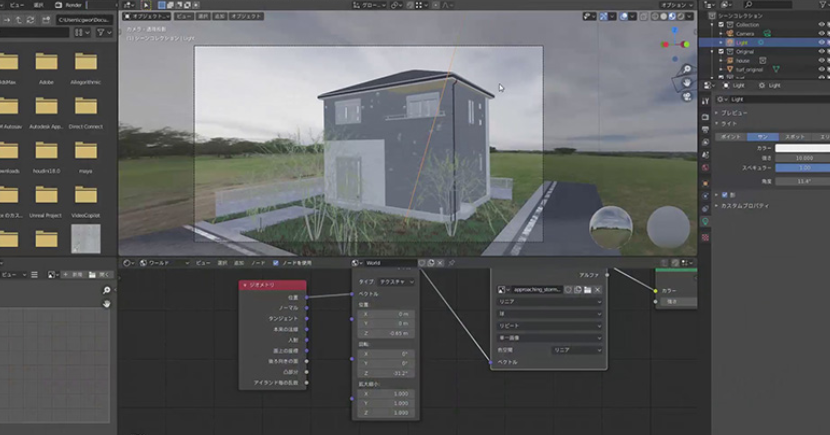
By episode 47, even complete beginners are able to create a building.