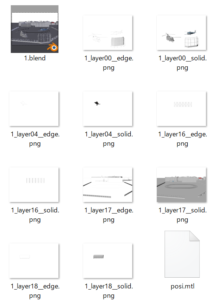
We offer workshops on introducing Blender, the open-source 3D software, into manga production.
Adopting 3D tools: a struggle for many professional manga artists
Manga is often assumed to be drawn entirely by hand, but there are a growing number of cases in which 3D tools are used to improve work efficiency. By using 3D, objects such as buildings and props can be drawn efficiently without any loss of quality.
Despite these advantages, manga production with 3D tools differs significantly from the conventional workflow and requires specialized knowledge. For example, a single manga page contains multiple panels, so how should the background of each panel best be managed? If you prepare a 3D background scene, render it and paste it into the page, and then work on the next panel in the same scene, a problem arises when you later want to revise a background: the working file no longer exists.
This requires formulating an appropriate response to each of these detailed issues and building a framework that can be sustained in continuous operation.
Comprehensive lectures on best practices for 3D manga production
Our CTO Sanekata, who has extensive experience in 3D direction for serialized manga in magazines such as Shonen Jump and Young Magazine, gives comprehensive workshop-style lectures on the key points of introducing 3D into manga production, including the following:
- Fundamental concepts of 3D software
- Specific operating procedures in Blender
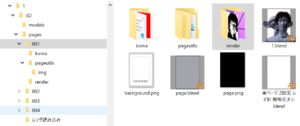
- Efficient folder structure
- Work units for pages and 3D
- Camera work
- Model placement and posing
- Assets to export for drawing
Blender basics
The lectures start from the basics of using Blender.
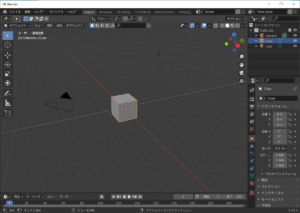
A file structure that stands up to revisions
Building a file structure based on optimal rules prevents retakes from reducing work efficiency.
Structuring work units
Limiting each work unit to a single panel keeps edits from spreading to other work.
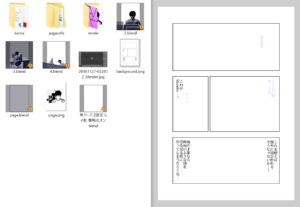
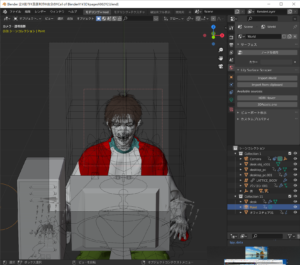
Defining render passes
We select the render passes best suited to manga and composite them to achieve a manga-style image.